Showing posts with label coding in math. Show all posts

Tuesday, March 31, 2020

Laughter is Sometime's the Best Medicine- Ozobots Mad Dash.... for Toilet Paper?

I would like to start this post saying, I completely respect the gravity of our current tumultuous situation in the world but for many, laughter is the best medicine and it had lifted me through these dreary times.

As a result, I present to you, Ozobot's Mad Dash.... for toilet paper. Out of necessity for sanity and debilitating boredom, I sat down and developed an Ozobot lesson to hopefully bring some smiles to faces.
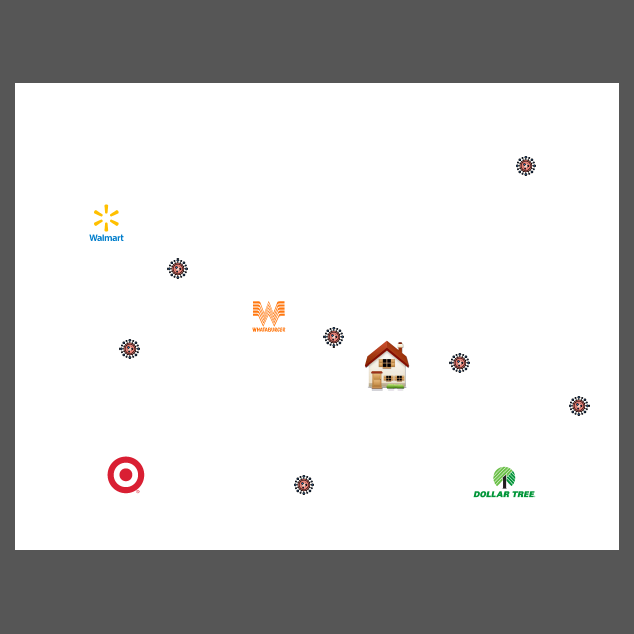


I take my toilet paper very seriously, I get a case very year for Christmas so this activity was right up my alley! Everyone who knows me, including my students, know that I get this and treasure it every year. I do not believe I have ever been so grateful as right now.


This activity uses Ozoblockly, angle measurement, distance/measurement, set parameters, limitations, etc. It covers a lot of concepts and can easily be adapted to any subject. material, story, concept, etc. Sky's the Limit! 

This is adapted from another, shorter (perhaps easier) activity I have created called, Hermione's Hairjinks. You may get it here for FREE!

In both activities, I have included both a WS and Teacher File to project.


Get Ozobot's Mad Dash on the Ozobot Classroom site for FREE here!


I have not referenced a particular virus in the activity, it can easily be adapted to germs or fires, or anything you want. I do not in any way want you to feel that I am being insensitive or am trying to minimize the impact, sometimes, we just need a laugh or smile or bit of levity right now, more than ever.

Enjoy!
Lisa

Monday, March 23, 2020

Hermione's Hairjinks!

Before we left for Spring Break which turned into a pandemic, I was working on an Ozobot lesson for our Geometry Unit. 

I also wanted to integrate some Ozoblockly work so came up with a new Harry Potter themed activity... Hermione's Hairjinks! 


-Hermione has just gotten an interview at the Ministry of Magic! She’s super excited and incredibly nervous. As we all know, Hermione has spent years battling her bushy brown hair and wants it to be nice and sleek for her interview (first impressions are important). She has cleverly written a spell to charm her hair, called Kinkajuice, for the interview but needs all of you to help her get the items while she studies diligently for the interview.

-Kinkajuice ingredients are:
1 bristle from a Bristly Bobbing Brush
3 spores from a Detangler Tree
4 sprays from a can of Super Slick Slippery Serum

-Your mission is to leave the Gryffindor Dorm and get all the items then meet Hermione in the Potions Dungeon!

-You can find the items in any order but don’t cross Hermione in the Dungeon because you know she will freak out if you do and do not have them all. She is so anxious about her interview every second is carefully planned!

-Code Ozobot with color code or Ozoblockly depending on your teacher’s directions. 


Students will have to measure angles, distance, convert measurement, code with set parameters, etc. 

Lot's of individualized learning! I will update with student photos and experiences later!

Get the lesson including a sample from Ozobot Classroom for FREE here!

Enjoy!
Lisa

Wednesday, September 5, 2018

Can You Escape the Death Star? Maze Activity

Are you brave enough to traverse the Dark Side?  Solve your way to the Escape Pod so you can join the rebel forces in defeating Darth Vader the Sith Lord.  


When will you ever use this in real life, you ask.... well here you go!  Nothing like defeating evil with Algebra to see the relevance of multi-step equations in the real world.  We never know when we need to fight a Star War!

And of course... I always go a little overboard....


These are just characters taped to solo cups to place over the Sphero to add come character.  Below is a video of how they move.


This summer I received a couple of grants for Spheros in my math classroom.  I've been working on integrating STEM and STEAM into my class as a way of engaging and motivating learners.  What is a Sphero you might ask?  


I saw these a couple of summers ago at the Texas Regional Collaborative in Austin, Texas.  I have played with them a few times and even brought them up to school at the end of last year.  I wrote a grant through WeTeach_CS and DonorsChoose.org.  Blessedly I received both of them!  The WeTeach Mini Grant allowed me to realize a life long dream too!  I received my first ever 'bigcheck'!  


He went on a  number of adventures the rest of the summer which you can see on my classroom Twitter: @cbhsrichmath.

Immediately I started brainstorming.  I have a bad habit of going overboard so I wanted to slowly bring Sphero into my classroom.  I have already integrated Ozobot into my class so I just needed a few assignments to work in.  Robotics and coding are so important to basic life skills as I've previously wrote about on my blog.  They teach fundamental life and math skills so even just 'playing' can be great learning.

So Sphero..... Hmmmm..... there are a ton of great resources to intorduce into the class like the following Teachers Pay Teachers Activities from Miss Talented and Gifted:


The Twister activity is fabulous!  When we did it at a STEM Camp they loved it and really applied their coding.

With my students, I wanted to work it in to the curriculum as an initial interest motivator.  So I thought, 'hey, they could drive it through a maze!'  Then I thought just take any maze WS  and print it poster size to put on the ground.  I have a bunch from Algebra Accents I could use! BUT.... this is me and I wanted a Star Wars themed one!! Of course I couldn't just use what I had, could I?!?!?

Enter Can You Escape From the Death Star?


I printed it in poster mode from PDF at 625%.  This made it 9 sheets by 5 sheets and the perfect size to navigate Sphero through to the Escape Pods.  Every pair/group/individual will solve their problems to navigate through the maze on paper.  They will then drive their Sphero through it all on the floor maze!


I added a students WS to show their work.


At first, they needed some time to familiarize themselves with it and play.  I demonstrated how to connect and do the basic drive commands for this activity.  We will get more into the coding later.


The students worked hard to get to the fun.  they were able to master the mechanics and even practice their 'escape' plan to show me for their grade tomorrow.  Below are the Sphero Mini's which have a totally different drive dynamic in my opinion. 


As always, I have provided copies of the activities in Word and PDF.  The fonts I used were Star Jedi and standard Stencil in Word. 

Download the Maze and Student WS here for FREE!

For any keys, please feel free to email me at camfan54@att.net from your school or professional account.  I've had students try and email for keys in the past but luckily their email said student! 


Have a gallactically great day!
Lisa


Friday, May 25, 2018

Ozobot Geometry Challenge!

Oh my sweet little Bot!  How the students and I have adored thee!  This year has been a unique experience working computer science basics of coding in to my math classroom.  Expanding and applying math in with robotics was rewarding and engaging.  You can read about my previous experiences at the links below.


We used them again to review and apply geometry concepts prior to the Geometry Unit.  On the Ozobot site, there is a great task card challenge for middle school by Erin Wilson. 


Download it here for FREE!

For my students, I wanted some higher level concepts and tasks so I developed my own task cards.  

I also provided cm graph paper for them to use.  I had them each complete a minimum of 4 tasks and if they realized multiple ones could be done within the same item, then I let them and secretly cheered behind their back for the thought processing.  It was not super intense and nice little integration into the content.


To prepare, I made one copy of the task cards and laminated them.  They were all placed on the back counter and students chose which one they wanted.  After completing, they took it back to the counter and chose another one.  That way they were not all doing the same tasks and I didn't have to copy and cut a bagillion cards (or store them). Win-win. 😀

I also cut the FREE Ozobot Practice sheet code templates up and provided them with 3,4 and end-line u-turn code templates if they needed.  This helped them having to get a new sheet for corrections.  You may download these from Teachers Pay Teachers for FREE here.  Thank you Macs Store for the great resource!

I included some teacher notes and the Texas TEKS standards.


Incorporating coding into my math classroom has been an incredible experience for my students.  Seeing math and being engaged has shown unique growth and attention to detail.  I can't wait to see how much more I can use it!

You may download all my resources from the Ozobot Classroom Lesson Library here for FREE!

Thank you to Erin Wilson for the fabulous activity and inspiration!

Enjoy,
Lisa

Thursday, February 15, 2018

Ozobotting Quadratics

Previously, I wrote a blog about the impact computer science, specifically, Ozobots had made on my classroom with just a couple of days of using them.  You can find that post here.

My next challenge was to work them directly into my content.  One of the TEKS of Math Models is A.7A which is graphing and identifying the key features of a quadratic.  Also in the state of Texas, we have process standards which includes students applying a number of skills from math to life and the real world as well as using problem solving skills and methods.  I felt that these could combine well to make an Ozobots Quadratic Project for Math Models or Algebra 1!

So, I then went about deciding how to 'Ozobot' Quadratics.  I wanted to make them all easily identifiable characteristics that the Ozobot could 'mark' with color coding.  

**Teacher Tip**  We have only done a couple of days of color coding and as the project got started, I realized the students needed to do a bit more Ozobot practice with freehand coding.  The previous days we practiced with pre-printed activities and the accuracy was marked for you.  While many did play around and go beyond, they still needed to practice their precision with the color coding without a template.  As a result, many projects had correction pieces of paper taped on.  In the future, I will account and deduct for this.  Live and learn is the motto for me every time I try something new!

I created this project rubric as I was going to spend several days on it and it would be a major grade. 


I have edited it to be a bit more precise after completing the project. 

I also carefully selected equations that would fit on gridded chart paper and have integer solutions and axis of symmetry. 
I had students make their axis fit the equation to utilize as much of the gridded chart paper as possible.  Some had differently scaled x and y axis and that really stretched their math comfort zone.  Talk about high level application for students so accustomed to one method or practice for completing graphing.  The first day, students randomly chose equations (I had them written on Popsicle sticks that each group drew).  I had them complete a rough draft on graph paper before providing the chart paper that included their scaling and table.  

Since then, I have assigned equations to allow for differentiation.


I have taught classes in the past that are project based and as a result, I know the cost of chart paper so do not give students extra! 


The first day (50 minute class periods), majority of the groups got the graph on the chart paper ready for coding.  A couple started coding... without practicing... and had to re-do.  crazy what happens when they do not follow teacher instructions, isn't it?!?!?


On the second day, when they came in, I reminded them to practice coding on scratch paper before trying on their poster.  This is a very tedious precision needed skill and requires practice just like anything we want to master.  For those of you not familiar with the Ozobots, they require color coding to perform.  Here is a student sample...


Ozobot provides a wonderful template for free on their website.  You can get it here.


I have all mine laminated with thicker lamination to be durable.

On day 2 of the project, groups began coding.  Several finished but this is a precision task and time is necessary.


Sometimes the Ozobots can be 'temperamental' so often re-calibrating or getting another one can help.  Also, tracing over the lines repeatedly or thick pencil marks can effect coding.  If a code did not work that they put on the poster I provided a small piece of white paper to put the correct code on.  They would then tape along the edges (after testing it) and apply to the chart paper where it needed to execute.  I feel that this would not have occurred as frequently with more freehand coding practice prior to the assignment, as I stated earlier.  Live and learn!  Here is a picture of a well done correction.  In the overall picture it did not really detract form the project.


And here is their completed project in action.


Unfortunately the paper placement in the above video caused Ozobot to fall at the end and they needed to re-shoot the end of the video!  I loved their enthusiasm for a correctly finished project.


Day 3 was completing, troubleshooting, filming and grading.  I used what seemed to be the most accurate at reading code Ozobot.  There were a few times that a too broad line before the vertex would have read the day before but not grading day so I would allow for re-runs of the Ozobot or me going nuts trying to figure out why.  It is really about the precision with which the lines were drawn and will be a continual learning process.

Here is an excellent finished graph with explanations along the way!


I had some excellent projects and my enthusiasm was heard by everyone!  All my poor twitter, Instagram and Facebook followers were bombarded with my excitement and exaltation for days!  If you are interested in seeing additional pictures and videos, check out my twitter @CBHSRichMath.  

I will admit that since this was my first time giving the project, I graded a little leniently but plan on being more strict in the future with adjustments.  I will definitely allow for more time to practicing coding freehand.  I already made a revised project outline and rubric with more specific directives.  I will plan 3 days instead of 2.  I will have them practice graphing quadratics once more before the project (we had only done one day prior to the project).  


Since I saw certain quadratic graphing issues after the project, I followed up with this worksheet on graphing.  


The solutions are not exact but I wanted them to practice the actual graphing and finding the vertex or 'Oreo' in the calculator.  This is also why I did not provide tables.  I also frequently have students just 'sketch' what they see on the calculator screen.... regardless of what they have been taught or verbally reminded of.

I cannot say enough about how computer science has changed my outlook on teaching math.  How critical it is to math and the real life lessons they learned when doing it.  I was asked how this relates to the math class and as I have said before, there is no more important fundamental than the order of operations.  The interviewer (ok, so it was the school newspaper but that sounded fancy!) then asked how this will benefit them in the real world.  We all need to complete steps in order to accomplish tasks.  We all need to be able to troubleshoot jobs and tasks in order to complete them.  We all need to be accurate and precise to do things correctly.  I feel Ozobots in the math classroom help with all these.  I am so excited I was able to work this important life skill into math concepts and reinforce both.

Thank you and if you see any mistakes or have anything to share, please do!

Lisa


Monday, January 22, 2018

Making Math OZO-some!

Last year I participated in a WeTeach_CS grant in Texas.  It was to help prepare for taking the Teacher Certification test for teaching computer science.  I love learning new things and being a teacher, I'm a life long learner.  Through this grant, which is currently being offered throughout the state of Texas (Google to see if there is one near you!)  It is completely free and not only helps prepare you, it also provides resources for you to take back to your classroom regardless of what you teach!

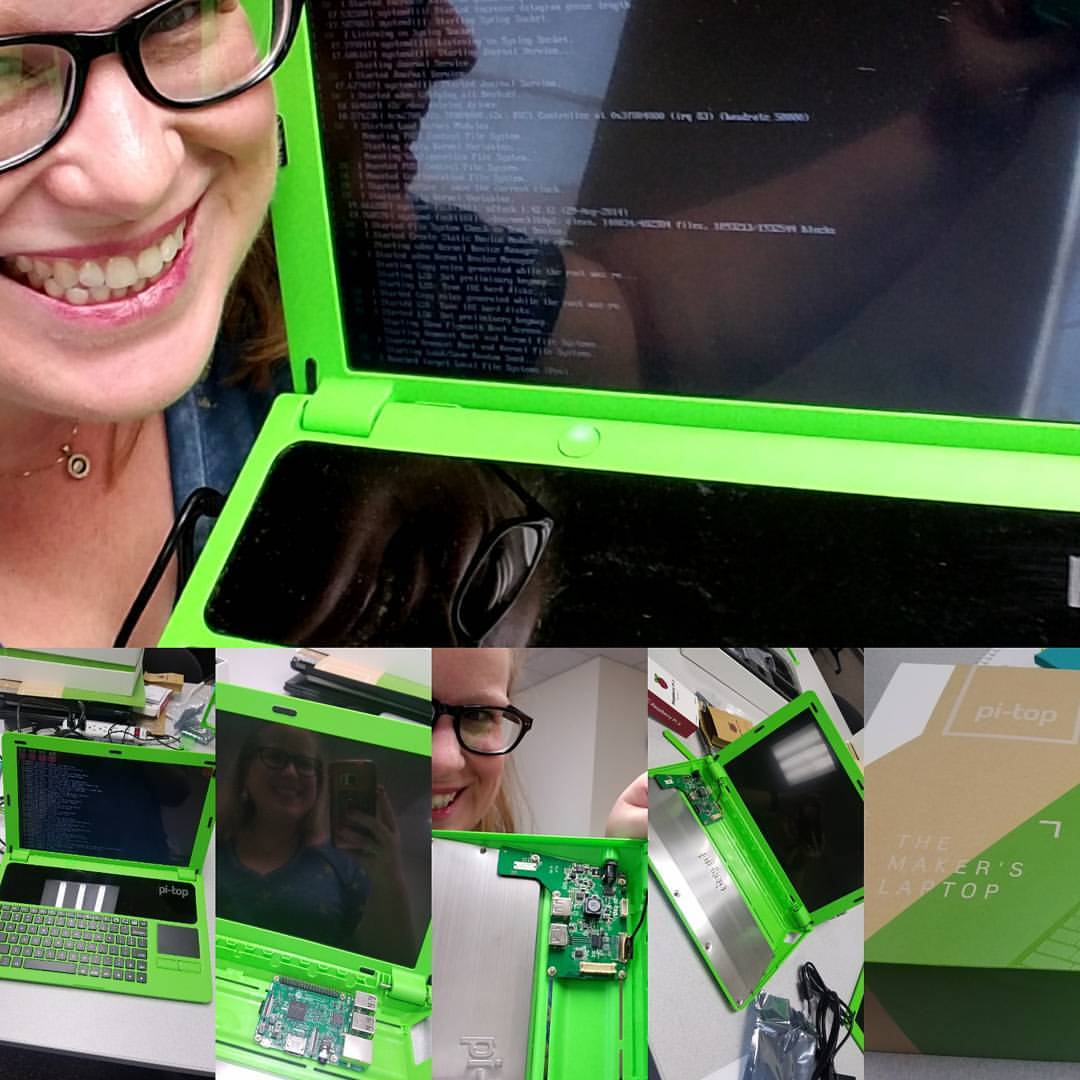
We built a laptop to use for coding!

We learned to code on our new TINspires!


It was such an incredible and rewarding experience!  But how did this make math OZO-some you ask?  Through this grant, I discovered a little robot called an Ozobot.  A what o-bot?  Check out the Youtube intro video here:


And where do I see the value of coding in the math classroom?  Well, the minute I started to code all those basic order of operations principles came into play.  What else?  You had to be precise and accurate and follow directions!  Say what?  Follow directions and order of operations?  Well.... while your students might be well heeled in these practices, I find it a much needed constant 'refresher' for my students.

I loved that the kids made the connection on the first day of using the Ozobots.  When we discussed the significance of the robots in the classroom, the one student who loudly exclaimed '.... oh, oh, ohhh.... order of operations!' made it all worth it. I was ecstatic.  This is exactly how I worked coding into my math classroom.  This was just a beginning but I was able to do something that my students will always be able to connect to the most fundamental life skill for success in anything... order of operations and following directions.

The Ozobot website has premade lessons and activities for your students as well.  I used this one to start with the students.  I showed the video above then followed up with the following 2.


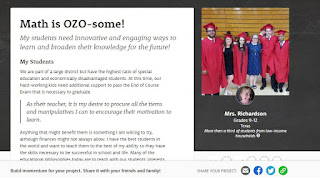
So how do you get an Ozobot?  I did a DonorsChoose.org classroom project.  I promoted the heck out of it because I wanted this for my students.  The first week they will even match your donations.  Here is my project so you can see the specifics.  Click on the picture to follow the link.


Those of you unfamiliar with DonorsChoose.org should definitely look into it.  It is completely FREE for teachers and I found it to be a very easy grant writing process.  I feel passionately about my students and with DonorsChoose I can express that passion effectively.  I was lucky to have this project funded and blessed beyond belief for the value it gave my students in not only math processes but a whole new world of coding for some of them!

I plan to do more with them and below are pictures of our first days.  These graduate from simple coding into loops and what if and logic statements for my hardcore coders.  They are wonderful for learning to code.  


 I love when kids get so into it they put it on social media 💓💓


They decided to build a great course.

I highly recommend you look into the WeTeach_CS grants if you can.  It was so rewarding for both for me and my students.  If you are in the Houston area and would like to check out my classroom set of Ozobots let me know.  I'd love to help you see the coding in math!